
这是什么
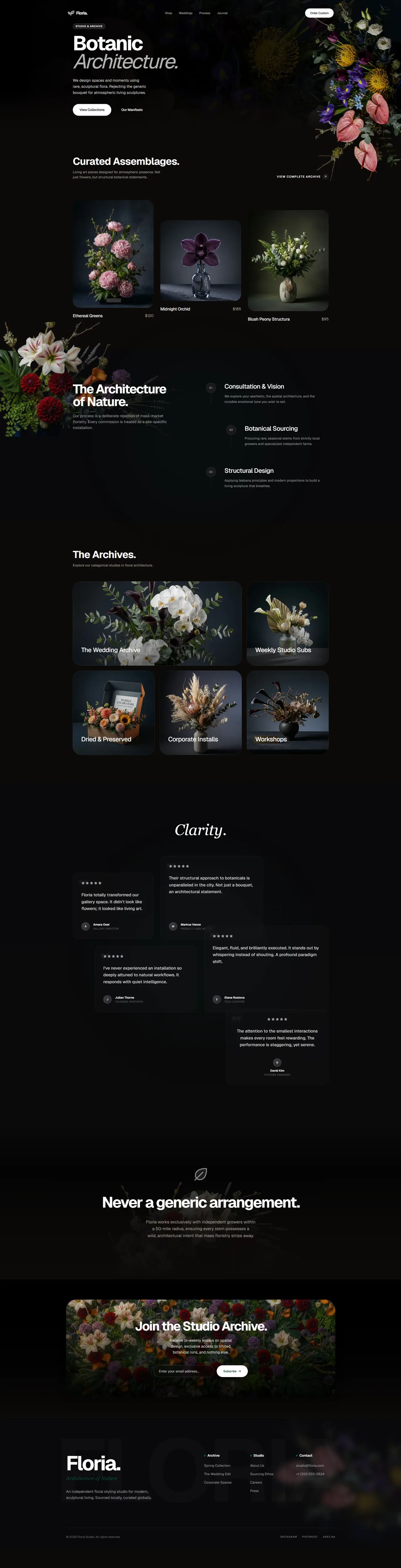
一条指令式 Skill,先禁掉常见的 AI 设计默认套路,再逼 Agent 在写界面代码前先选定一种调性原型和一种布局原型。
Teaches the AI to design like a high-end agency. Defines the exact fonts, spacing, shadows, card structures, and animations that make a website feel expensive. Blocks all the common defaults that make AI designs look che
它对设计意味着什么
- Inter、Roboto 和粗描边 Lucide 图标一律禁用,产出不再一股模板味。
- 卡片做成外壳套内核的嵌套结构,容器有了真正的机械纵深。
- 区块内边距从 py-24 起步,版面能透气,不会挤成一团。
包含哪些内容
- Absolute zero directive
- Creative variance engine
- Haptic micro-aesthetics
- Motion choreography
- Performance guardrails
- Pre-output checklist
如何安装
high-end-visual-design
-
克隆这个仓库。
git clone https://github.com/Leonxlnx/taste-skill -
把 Codex 指向这个 Skill 文件。
skills/soft-skill/SKILL.md -
然后描述你想要的界面,Codex 会照着这个 Skill 来做。
如何配合 Codex 使用
-
让 Codex 做页面,它会先悄悄跑一遍多样性引擎。
-
先搭好背景纹理和字号阶梯,再做双层描边容器。
-
注入自定义 cubic-bezier 动效,最后跑一遍出稿前检查清单。
这里的每个插件都免费开源,并附上真实的上游源地址。
在 codex-design 清单上了解更多 ↗


下一步
用 Open Design 做设计,省掉那些配置
你可以自己装这个插件,也可以用 Open Design 在 Codex 外面套一整层精选设计层。自带 API Key,产出归你所有。